> For the complete documentation index, see [llms.txt](https://academy.any2info.com/any2info-academy/llms.txt). Markdown versions of documentation pages are available by appending `.md` to page URLs; this page is available as [Markdown](https://academy.any2info.com/any2info-academy/no-code-platform/ai-studio/agents/getting-started/providers/openai.md).
# OpenAI
### 1. Create an account with the AI provider
Before using OpenAI, an account must be created.
* Go to the OpenAI platform
* Sign up using an organization account rather than a personal account (recommended)
* Verify the account according to OpenAI’s requirements
***
### 2. Create a project
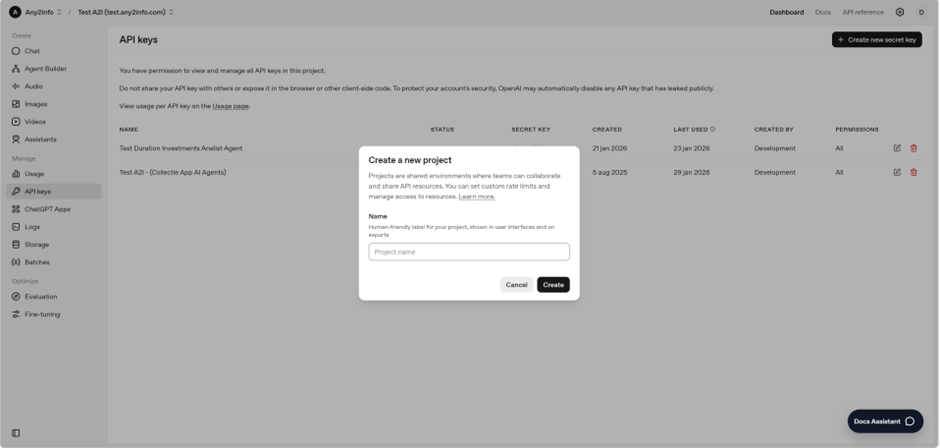
OpenAI organizes usage and billing through **projects**.
* Create a new project within your OpenAI organization
* Use a clear naming convention (e.g. `ai-studio-production` or `ai-studio-development`)
* Ensure the project is associated with the correct billing setup
Projects allow you to:
* Isolate environments (dev / test / prod)
* Track usage per application or team
* Apply consistent security and cost controls
***
### 3. Create an API key (and secure storage)
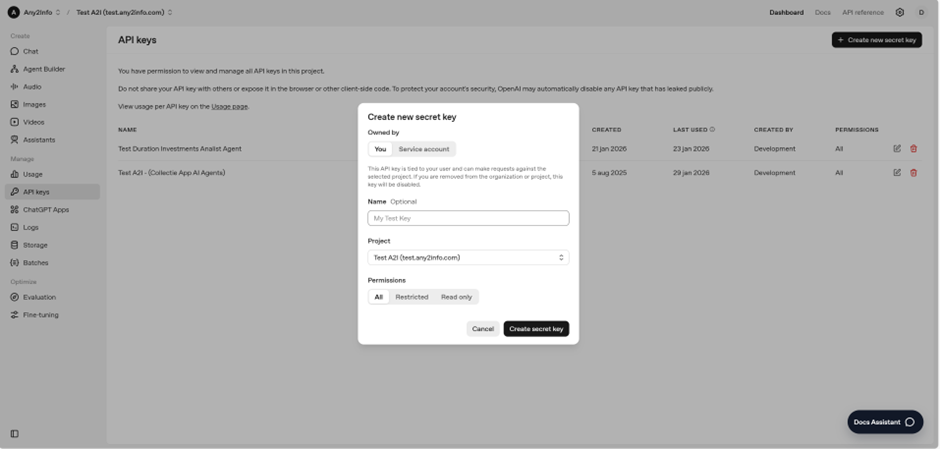
To connect the platform to OpenAI, an API key is required.
#### Create an API key
* Generate an API key within the OpenAI project
* Copy the key immediately, as it will only be shown once
#### Secure storage
* Store API keys in a secure location (e.g. secrets manager or encrypted storage)
* Never hardcode API keys in source code
* Rotate keys periodically, especially for production environments
Within the platform, API keys are stored separately from connection definitions to prevent accidental exposure.
***
### 4. Logging
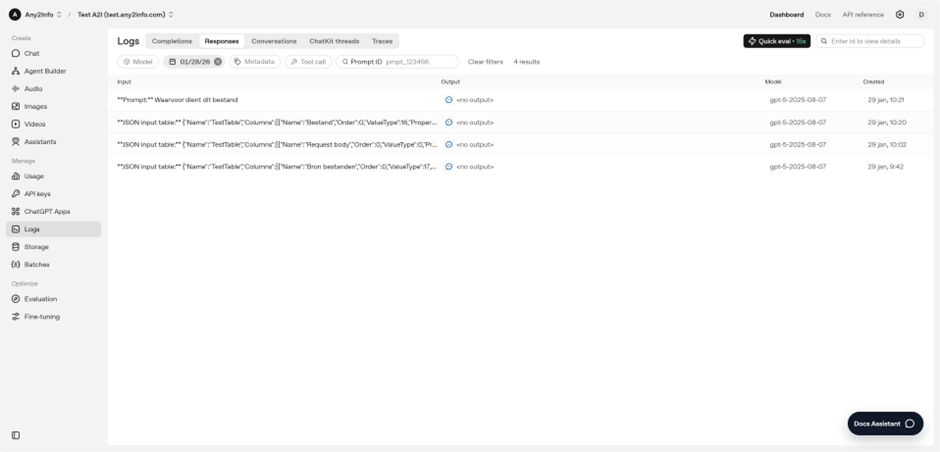
Logging provides insight into how OpenAI is being used and helps with debugging and compliance.
Typical logging includes:
* Request metadata
* Model used
* Token usage
* Errors and failures
Logging **should not** include:
* Full document contents (unless explicitly required)
* Personal or sensitive data without proper justification
***
### 5. Usage and cost monitoring
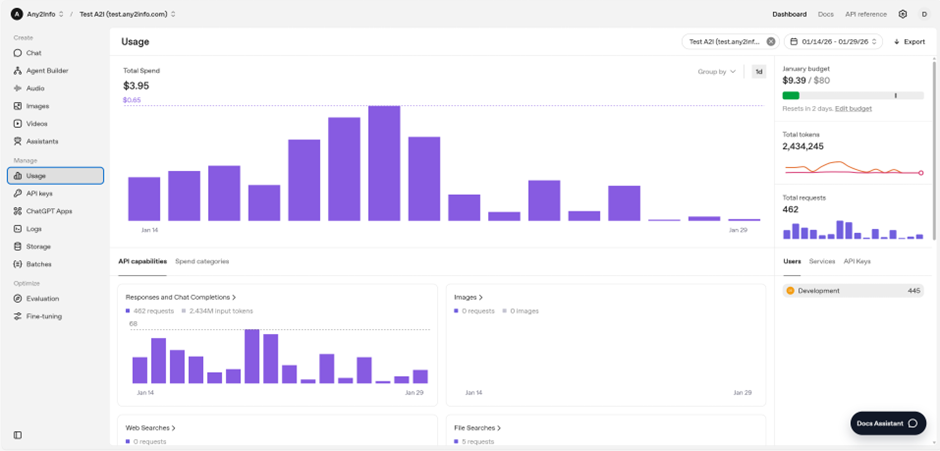
OpenAI provides usage metrics at the project level.
You should regularly monitor:
* Token usage per model
* Cost per project or environment
* Spikes in usage that may indicate misconfiguration
**Recommendations:**
* Set internal budgets or alerts where possible
* Use lighter models for analysis tasks when appropriate
* Review usage periodically as agents are added or modified
***
### Next steps
Once your OpenAI account and project are set up:
* Create a connection in **Data Studio**
* Select OpenAI as the provider
* Proceed to creating your first AI agent
---
# Agent Instructions
This documentation is published with GitBook. GitBook is the documentation platform designed so that both humans and AI agents can read, navigate, and reason over technical content effectively. Learn more at gitbook.com.
## Querying This Documentation
If you need additional information that is not directly available in this page, you can query the documentation dynamically by asking a question.
Perform an HTTP GET request on the current page URL with the `ask` query parameter, and the optional `goal` query parameter:
```
GET https://academy.any2info.com/any2info-academy/no-code-platform/ai-studio/agents/getting-started/providers/openai.md?ask=&goal=
```
`ask` is the immediate question: it should be specific, self-contained, and written in natural language.
`goal` is optional and describes the broader end goal you are ultimately trying to accomplish on behalf of the user. GitBook uses it to tailor the answer towards what is most useful for that goal.
The response will contain a direct answer to the question and relevant excerpts and sources from the documentation.
Use this mechanism when the answer is not explicitly present in the current page, you need clarification or additional context, or you want to retrieve related documentation sections.